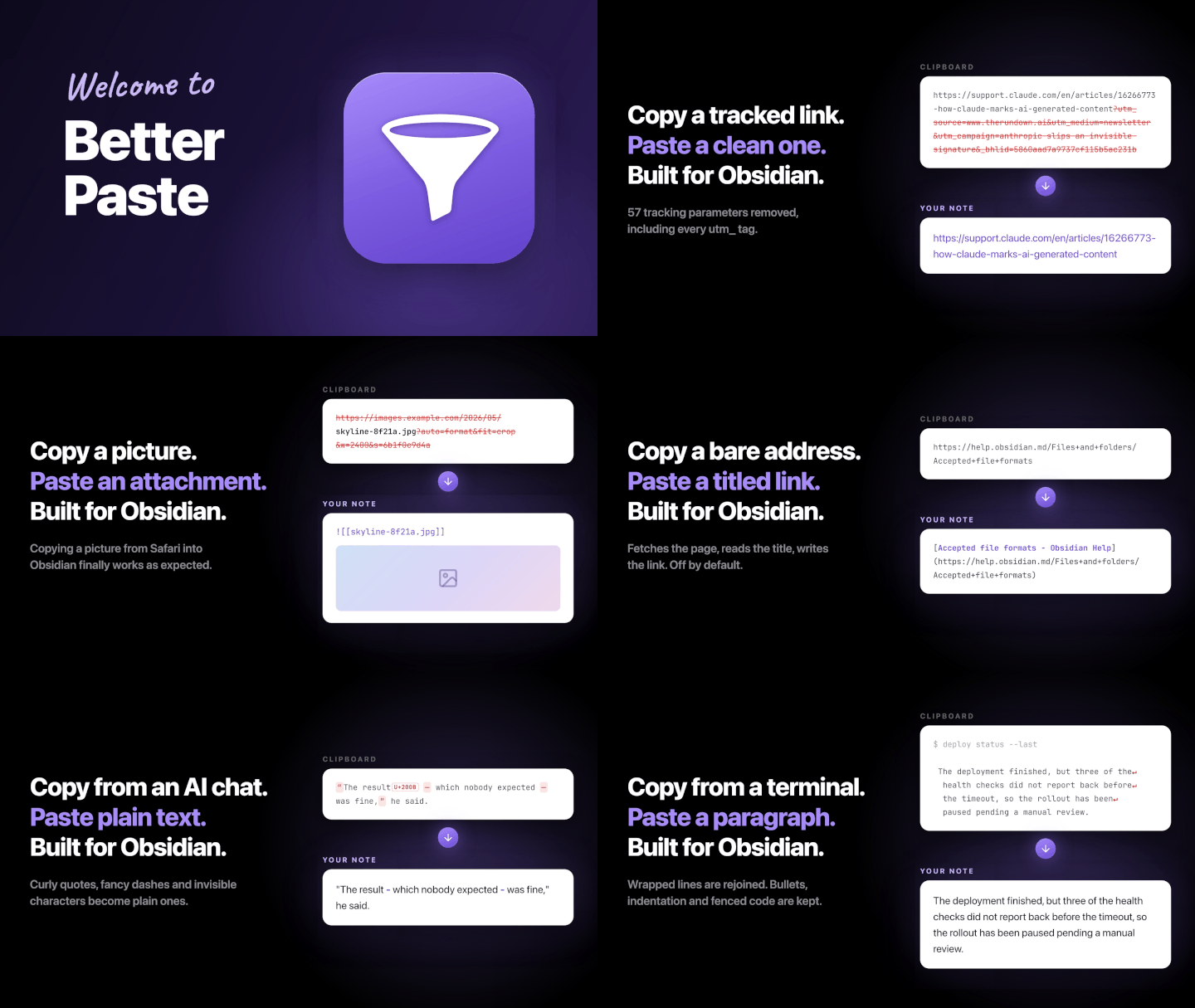
Copy images from Safari to Obsidian, strip tracking parameters from URLs, fetch page
titles, and clean up AI-generated text. Custom regex snippets add your own rules to
every paste. Just paste, and the plugin handles the rest.
Seven examples. Some run on every paste, others are commands you run when you need them.
Custom snippets
Write your own find and replace rules with regex and they run on every paste. This
one removes Perplexity's citation markers. Ready-made snippets to import are on the
wiki.
Copied
The fix shipped last week[1][2]
and rollout begins today[3].
Pasted
The fix shipped last week
and rollout begins today.
Images from Safari
Copy an image in Safari, paste it into Obsidian, and you get a web link instead of
the image. Annoying! Better Paste pastes the image itself, saved into your vault.
Links you copy from newsletters and social apps drag a lot of tracking junk along.
Better Paste removes known trackers and a short built-in list of site-specific junk.
IDs, search terms and other unknown parameters stay.
Paste a bare URL and it turns into a Markdown link with the real page title. The URL
is pasted right away and updates when the title arrives, so nothing blocks.
Copied
https://obsidian.md
Pasted
[Obsidian - Sharpen your thinking](https://obsidian.md)
Terminal output
Terminals break long lines at the window edge. Escape codes are stripped on every
paste, and one command joins the lines back together.
Copied
npm warn deprecated inflight@1.0.6: This module is not supported and leaks memory. Do
  not use it. Check out lru-cache instead.
Pasted
npm warn deprecated inflight@1.0.6: This module is not supported and leaks memory. Do not use it. Check out lru-cache instead.
AI text
Chatbot text comes with curly quotes, long dashes and invisible characters. The
invisible ones are removed on every paste, and with Quotes and Dashes turned on the
rest becomes plain text too.
Copied
“It works,” she said — finally.
Pasted
"It works," she said - finally.
Commas and quotes
Prefer your commas outside the quotation marks? Select the text and run Move commas
outside quotes. Move commas inside quotes goes the other way.
Copied
She called it "finished," then left.
Pasted
She called it "finished", then left.
Features
Small rules that add up
One switch for link cleanup, with built-in and user-defined removals.
Custom snippets
Your own regex rules run on every paste or on a selection. Ready-made snippets to
import are on the wiki.
Images into your vault
Safari copies are saved into your vault, named after their source. Image links show a
preview from the web, or download a copy if you prefer.
Tracking removal
One switch removes known trackers everywhere, plus site-specific junk such as
YouTube's si parameter.
Your removals
Remove a parameter everywhere or only on one site, test a URL live, then suggest the
rule for a future update.
Link titles
A pasted URL becomes a Markdown link with the real page title. Reddit and YouTube work
too.
Terminal cleanup
Escape codes stripped on every paste. One command rejoins broken lines and turns
bullets into lists.
PDF text cleanup
One command rejoins short lines, repairs hyphenated words and expands ligatures, with
a preview first.
Quotes and dashes
Curly quotes and long dashes become straight ones. Off by default, and code and links
are left alone.
I have a PhD in Software Development and have worked with innovation development for
companies like Apple, Electronic Arts, Google, Microsoft, LEGO and Volvo Cars. I
also build Notebook Navigator, the most popular file explorer plugin for Obsidian.
I built Better Paste because pasting into Obsidian kept needing the same manual
fixes: images from Safari that arrived as web links, URLs full of tracking
parameters, terminal output broken at the window edge, and chatbot text full of
characters nobody typed. Now I just paste.
My hope is that you forget the plugin is even installed. You copy, you paste, and
everything just works.
If you have feature suggestions or found a bug, please open an issue on
GitHub.
Why does pasting an image from Safari give me a link instead of the image?
Safari puts two versions on the clipboard, the image itself and its web address, and
Obsidian pastes the address. Better Paste pastes the image itself, saved into your
vault and named after the original file.
Does Better Paste send my clipboard anywhere?
No. Better Paste makes network requests in exactly three cases: downloading an image
you pasted, fetching the title of a pasted link, and loading dialog artwork from
GitHub. No telemetry, no analytics, and nothing is ever uploaded.
Will it change code I paste?
No. Pasting into code blocks, inline code or frontmatter changes nothing, and fenced
code inside a paste comes through untouched.
Can I turn it off for a single note?
Yes. Add bp: false to a note's frontmatter and Better Paste leaves that note alone. It
works the other way too: bp: true cleans a note even when automatic cleanup is off.
Which link parameters are removed?
Better Paste removes known trackers on every site and a conservative built-in list of
site-specific junk. You can add your own removals. Cryptographically signed links stay
exact, while unknown access parameters stay in other links.
Can I add my own cleanup rules?
Yes. Custom snippets are regex find and replace rules that run on every paste, and the
Run snippet command applies one to a selection. Ready-made snippets to import are on
the wiki.
Is Better Paste free, and does it work on mobile?
Yes. Better Paste is free and open source under the GPL-3.0 license, and it works on
desktop (Windows, macOS, Linux) and mobile (iOS and Android).
 Obsidian